The Infrastructure Black Hole
Over the last few weeks, while building out the foundations for our own projects—like letatech.ca and mellions.ca—we hit a wall that every startup founder encounters: The Deployment.
You have a brilliant MVP, a slick marketing site—it’s modern, it’s beautiful, and the styling is crisp, and your content is ready.
But here is the harsh reality: All that beautiful styling and modern design means absolutely nothing if it’s stuck on your laptop. You can have the best-looking brand in the world, but if people can't discover it because you are stuck fighting with cloud configurations, you don't have a business. You have a localhost hobby.
The "Best Practice" Trap
For a well-established enterprise with a dedicated DevOps team and an unlimited budget, tools like AWS and Kubernetes are phenomenal. They offer granular control and infinite scale.
But for a solo founder or a small team whose primary constraints are budget, time, and manpower? Those tools are overkill—a mountain of technical hurdles standing between you and your first users.
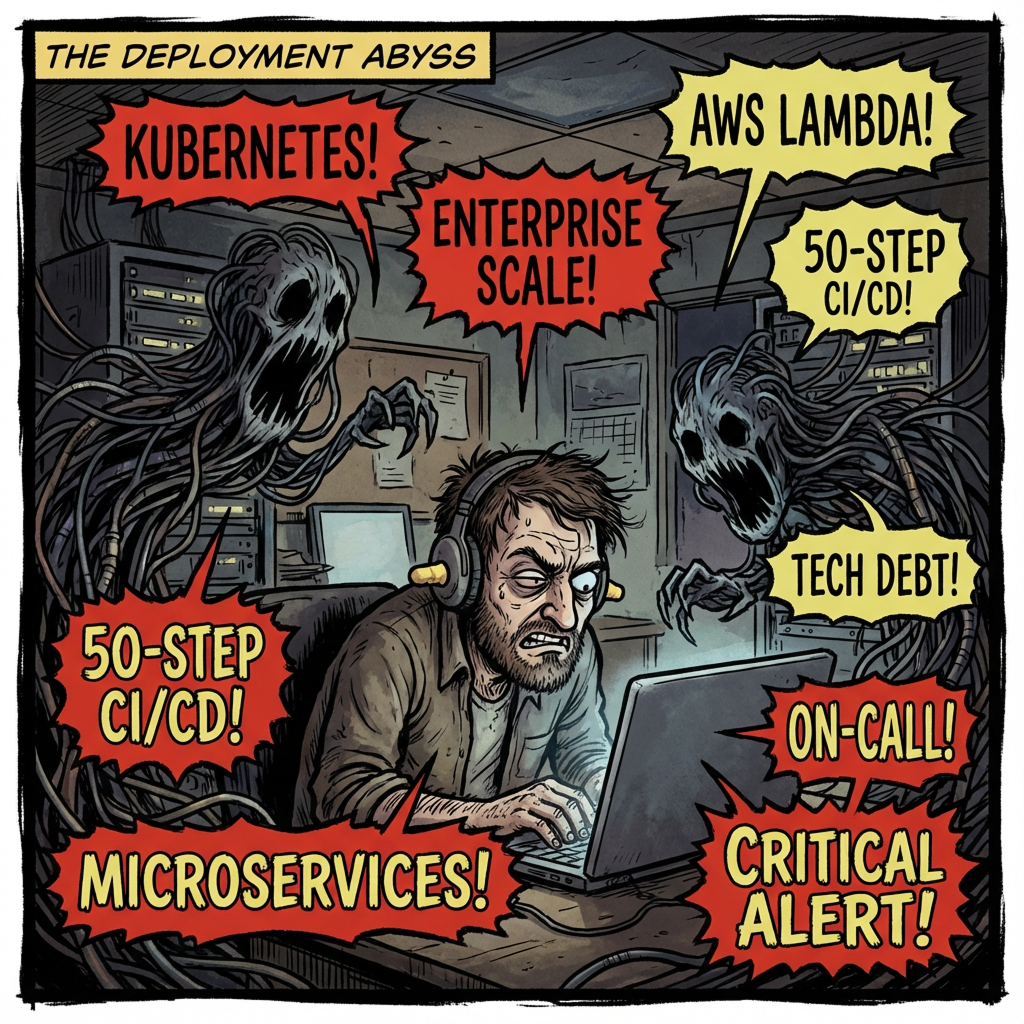
The industry pushes an "Enterprise Standard" that is toxic for early-stage startups. Let's look at exactly what they are selling you:
- The K8s Trap
- The Pitch: "Scale automatically to millions of users!"
- The Reality: You are spending 40 hours configuring "Nodes," "Pods," and "Ingress Controllers" to host a blog that gets 10 visitors a day. It is pure overhead for a problem you don't have yet.
- The AWS Lambda Trap
- The Pitch: "Pay only for what you use! No servers!"
- The Reality: It sounds cheap, but it introduces "Cold Starts" (where your site lags for the first visitor) and makes debugging a nightmare. Trying to replicate the cloud environment on your laptop to fix a simple bug becomes a PhD-level project.
- The Microservices Trap
- The Pitch: "Decouple everything!"
- The Reality: This works for Netflix because they have 1,000 engineers. For you, it means every time you want to add a feature, you have to update three different codebases and ensure they sync. Monoliths move fast; microservices move slow.
Unless you have 10 million users on day one, these tools are not assets—they are liabilities. They are a mountain of technical debt standing between you and your first customer.
The Solo-Solution (LetA Way)
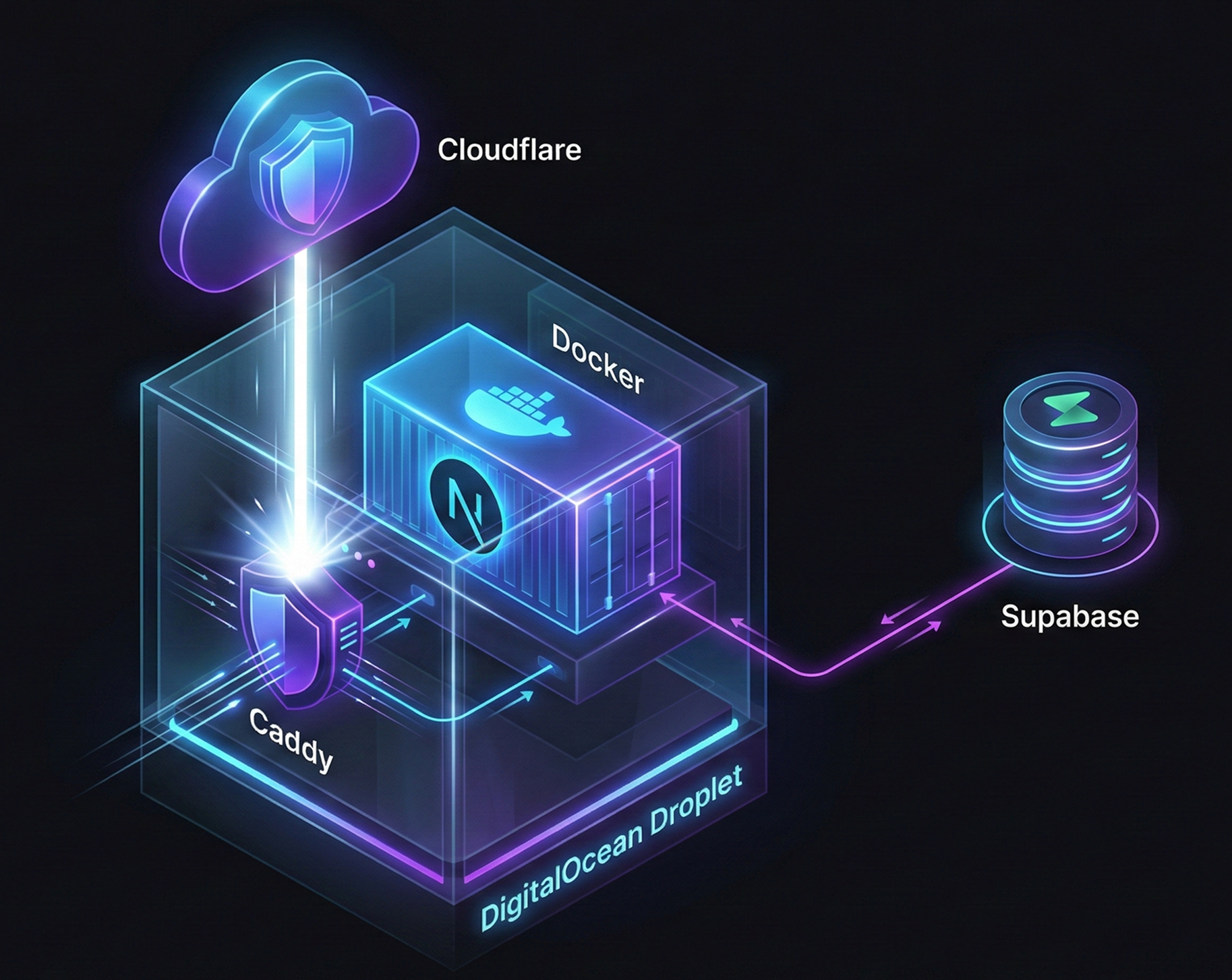
We decided to step back and ignore the buzzwords. We wanted a stack that was modern, dirt cheap, incredibly secure, and allowed us to deploy in literally one minute.
We found it. Here is the modern deployment stack that reduced our effort by at least 70-80%, perfect for spinning up MVPs, landing pages, and SEO-driven content sites.
The Core Components:
- Framework: Next.js + Tailwind CSS (Speed and SEO)
- Backend/Auth: Supabase or Google/Azure (Offloading heavy lifting)
- Hosting: DigitalOcean Droplets (The sweet spot for cost/performance)
- Web Server: Caddy (The "easy button" for HTTPS)
- DNS & Security: Cloudflare (The essential free tier)
- Packaging: Docker (Consistency across environments)
DigitalOcean vs. The Giants
We’ve used AWS and Google Cloud extensively over the years. They are powerful, but for a startup, they are intimidating and expensive.
DigitalOcean is the most intuitive option for a small team. You can spin up a fully functional, incredibly cheap "Droplet" (a tiny virtual server) for $10–$20 USD a month. That price includes vital security features like VPCs and firewalls, ensuring data privacy compliance out of the box.
They also offer Spaces (an S3 equivalent) for cheap object storage, and their container registry is lightning fast. If you are currently struggling with AWS complexity, migrating to DigitalOcean is surprisingly easy and highly recommended for early-stage ventures.
Caddy vs. NGINX
This was the biggest game-changer for simplicity.
We acknowledge that NGINX is an extremely powerful, granular web server. If you are building the next Netflix and need to squeeze every microsecond out of high-load traffic, NGINX is the king.
But for shipping an MVP? It's a headache of configuration files.
Caddy is our new go-to. It’s a modern web server that is super easy to spin up. Crucially, it handles HTTPS automatically. It integrates with Let's Encrypt to manage and auto-renew your SSL certificates without you lifting a finger. Setting up a reverse proxy in Caddy takes three lines of config versus thirty in NGINX.

Cloudflare: The Essential Layer
Cloudflare’s free tier is frankly incredible. It is the best DNS and domain management tool we have ever used.
Beyond DNS, they offer "Cloudflare Turnstile." Forget Google reCAPTCHA or hCaptcha; Turnstile is by far the best, least intrusive bot detection method available today. It protects your forms without annoying your real users. When your service matures, upgrading to their paid tier is a natural progression, but the free tier will carry you a long way.
The "One-Minute" Launch Workflow
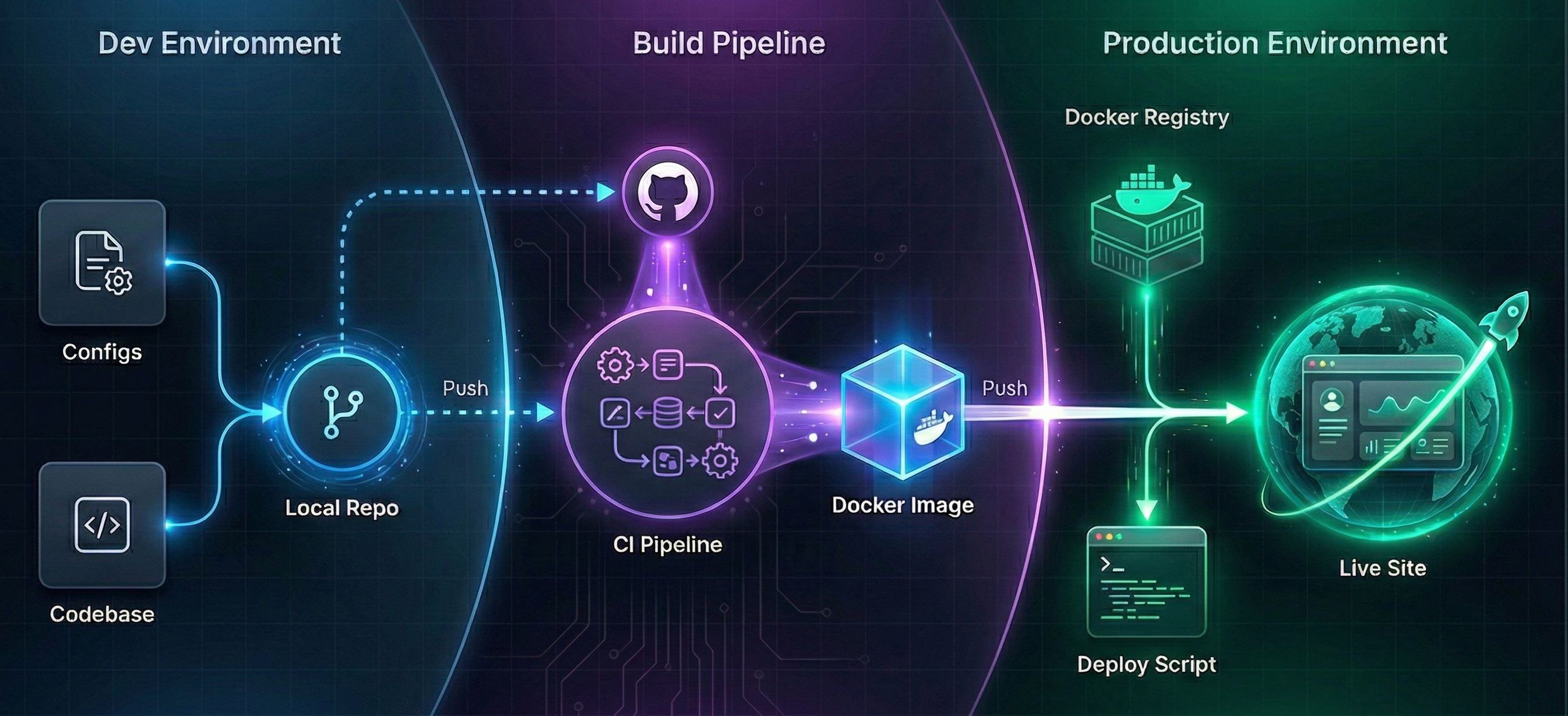
We believe that quality cannot be compromised, but the process of deploying quality code should be boring and fast.
We don't believe in clogging up GitHub Actions with endless testing steps. Do your thorough testing, sanitation, and cleanup locally before you push to main.
Step 1: The Build
We use GitHub Actions for one thing only: building the Docker image.
When we push to the main branch, a simple workflow triggers. It packs our entire Next.js application into a single Docker container—no conflicts, no dependency hell. It then pushes that image directly to the DigitalOcean Docker Registry.
Use DigitalOcean's registry instead of Docker Hub. It keeps everything in the same ecosystem, speeding up deployment pulls significantly.
Step 2: The Artifacts
Don't manually configure your server. Create your deployment artifacts in your development environment and keep them in Git. You only need three things
- Caddyfile: Your simple web server config.
- docker-compose.yml: Defines how your app and Caddy run together.
- deploy.sh: A simple Linux script.
Step 3: The Deploy
When it's time to deploy with new content or a new feature, we run a single script: ./deploy.sh.
This script pulls the new image from the DigitalOcean registry and restarts the Docker containers.
If you have the budget and a massive team, by all means, utilize the granularity of AWS and the scalability of Kubernetes.
But if you are a founder focused on shipping, iterating, and validating your idea, don't let infrastructure slow you down. This stack provides a robust, professional, and incredibly cost-effective foundation that lets you focus on what matters: building a great product.
This is how we are building Leta Tech.
Keep an eye on this space for more practical deep dives into our engineering journey.
#WebDevelopment #CloudInfrastructure #Startups #SoftwareEngineering #NextJS #Productivity #SaaS #Deployment #TechTips #LetaTech